Watch Your Cable TV Shows Anywhere & Anytime for FREE
You can watch the same Golden West cable TV shows and programs you watch on TV from wherever and whenever you want at no additional charge using an internet connection and watchTVeverywhere.
WatchTVeverywhere expands your Golden West cable TV subscription beyond your set top box. It allows you to view live and prerecorded programs online using your computer, tablet, phone and streaming devices like Apple TV, Roku and Google Chromecast.
Service Uses Your Internet Connection
It’s simple to set up and works great for taking your cable service on the road or to watch programs after they’ve aired. It can also be used to share programming with family members, such as a child who’s away at college, or to extend service to an additional television without adding a receiver.
WatchTVeverywhere works anywhere you receive an internet signal – inside your house, at work, on a public Wi-Fi network or when you’re in the car. Wired connections and in-home Wi-Fi provide the best quality. While Golden West provides the service for free, data charges may apply if you stream using a mobile plan.
Watch Same Networks & Channels
You’ll have access to the same networks and channels that are part of your cable TV subscription, provided they participate in the watchTVeverywhere service. For example, if you receive ESPN as part of your cable package, you’ll have access to ESPN content through WatchESPN using watchTVeverywhere. New networks and channels continue to be added. For a complete list of networks available to you, register and log in at WTVE.net.
There is no limit to the number of devices you can use. However, TV networks may limit the number you can use at the same time. The service allows up to four users to be registered on each TV service account. The first user registered must be the named account holder, age 18 or older, and will be considered the primary user.
Get Started Today!
It’s simple to get started using this free add on to your cable TV subscription. First, Register with watchTVeverywhere. Then use the account you created to Log In to the website and select programming from there. You can also download a free app for a network or channel from your device’s online store and Log In when prompted using the same credentials.
Follow these step-by-step instructions to expand your TV viewing options today:
Here’s How to Get Started
1. Visit www.wtve.com.
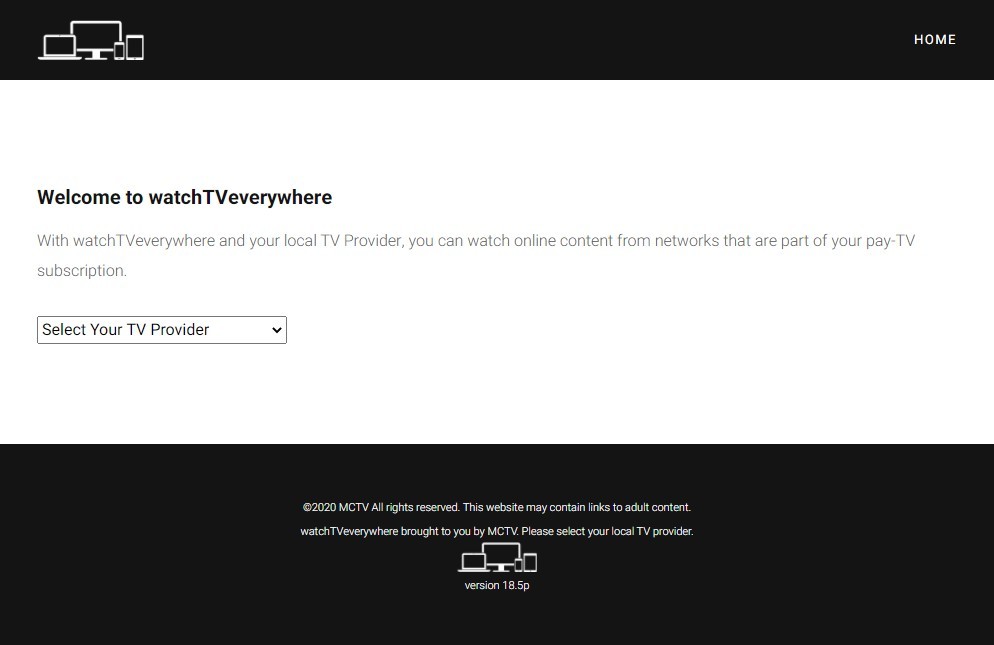
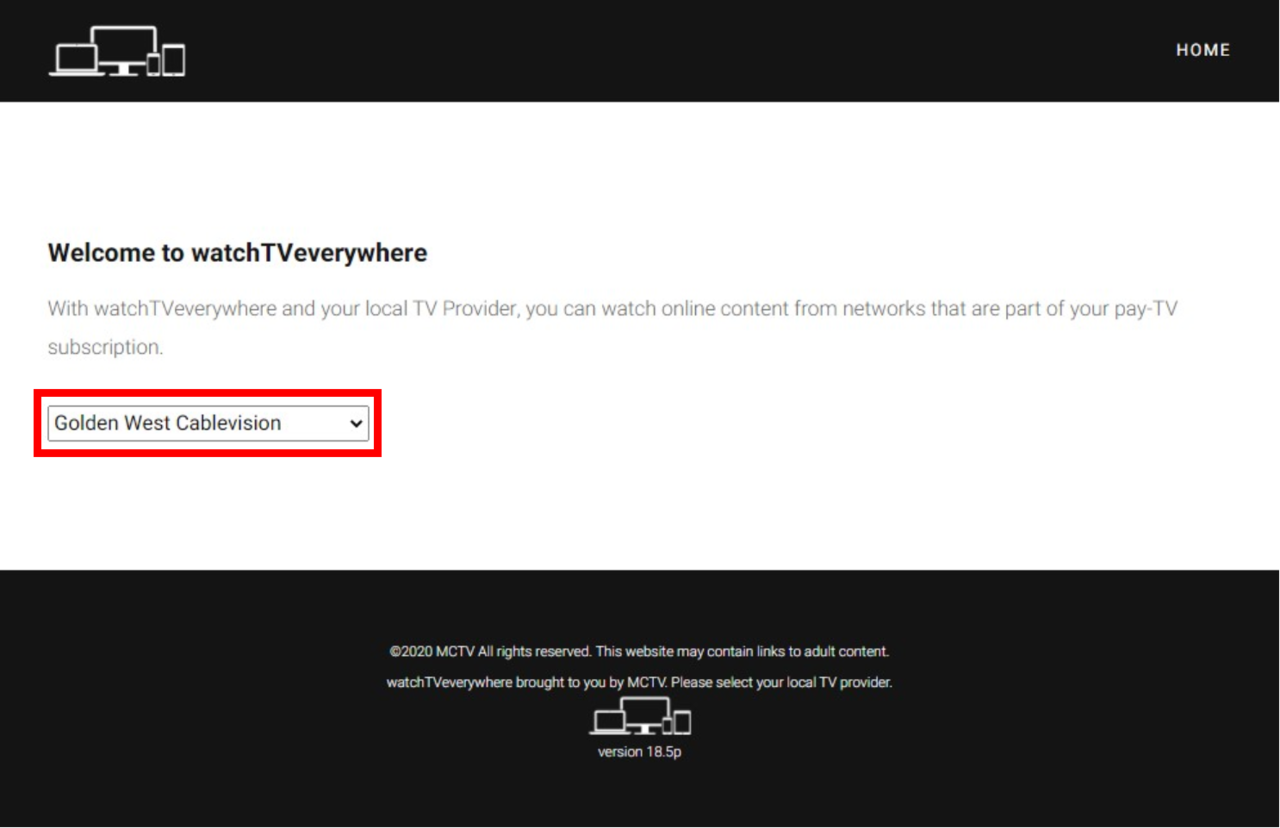
2. Select Golden West Cablevision from the Dropdown Menu.
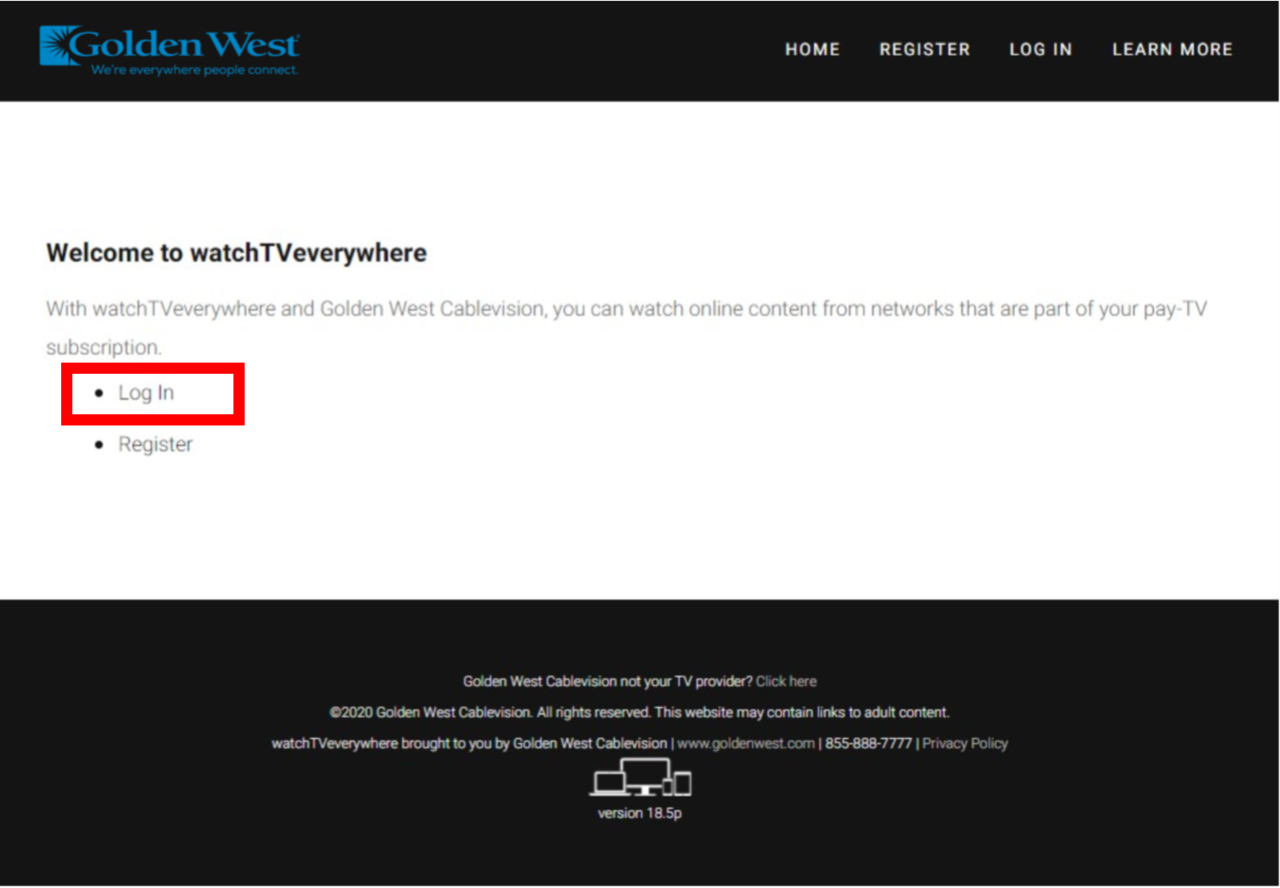
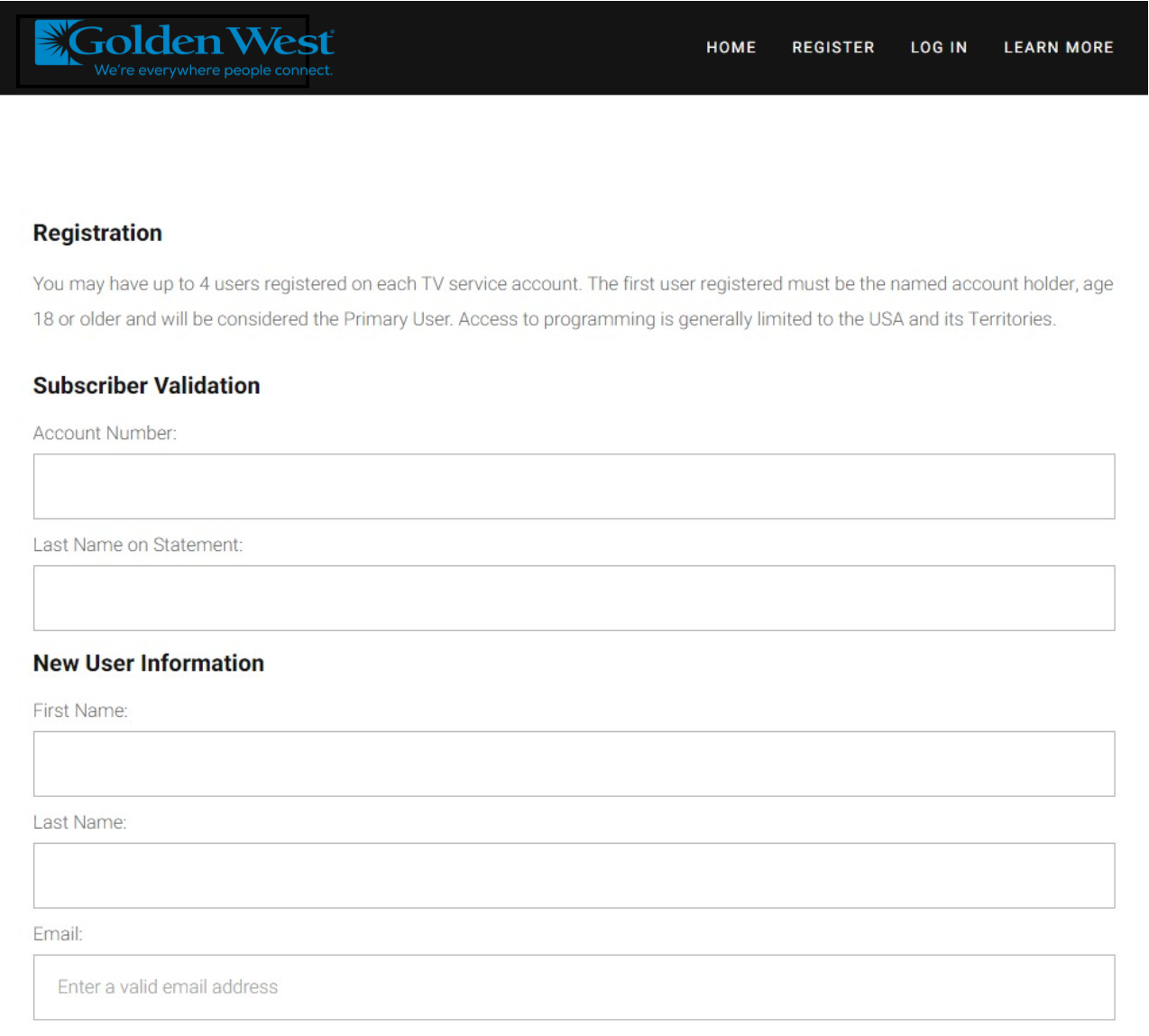
3. Click on Register. For this step you will need a copy of a recent invoice for your account number and the exact spelling of your last name as it appears on your account.
4. Provide the requested information. Be sure to enter your email address and preferred password twice. Check the “I’m not a robot” box, and then click Submit.
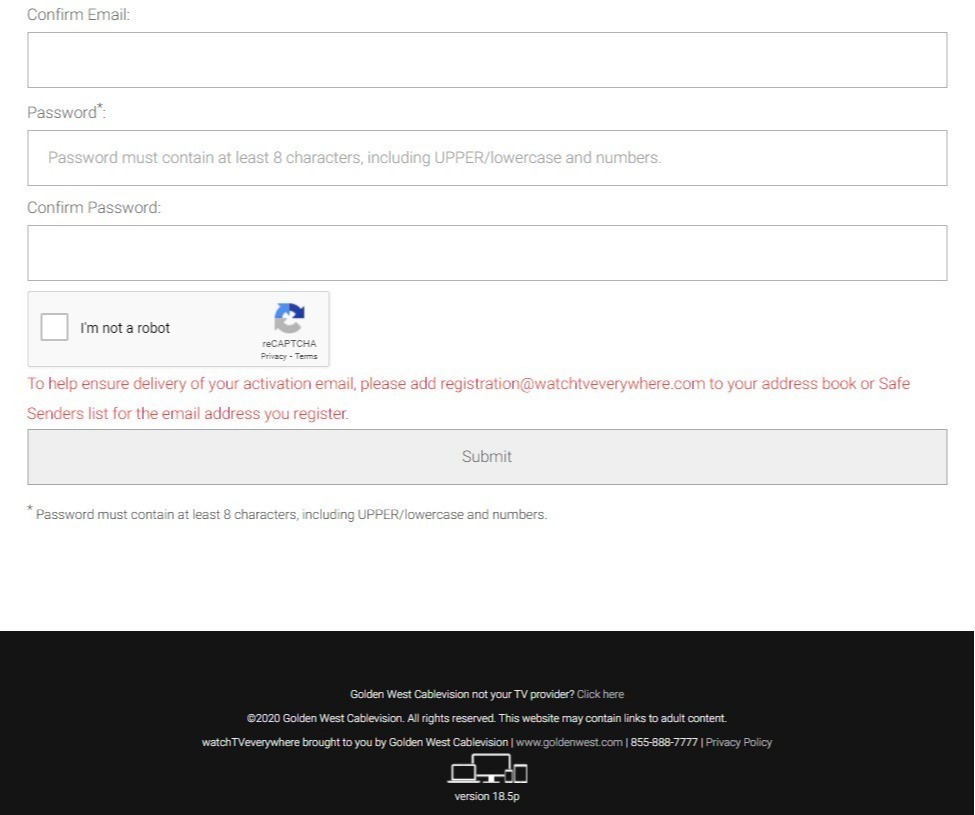
5. Now, check the email address you just provided, including your Spam or Junk folder. You will find an email message with your watchTVeverywhere activation link. Click on the link to complete the registration process.
You are done and can begin to enjoy watchTVeverywhere!
Remember to keep your username and password confidential. Use of your credentials by others will result in loss of watchTVeverywhere privileges.
To Use watchTVeverywhere
1. Visit www.wtve.com.
2. If needed, select Golden West Cablevision from the Dropdown Menu.
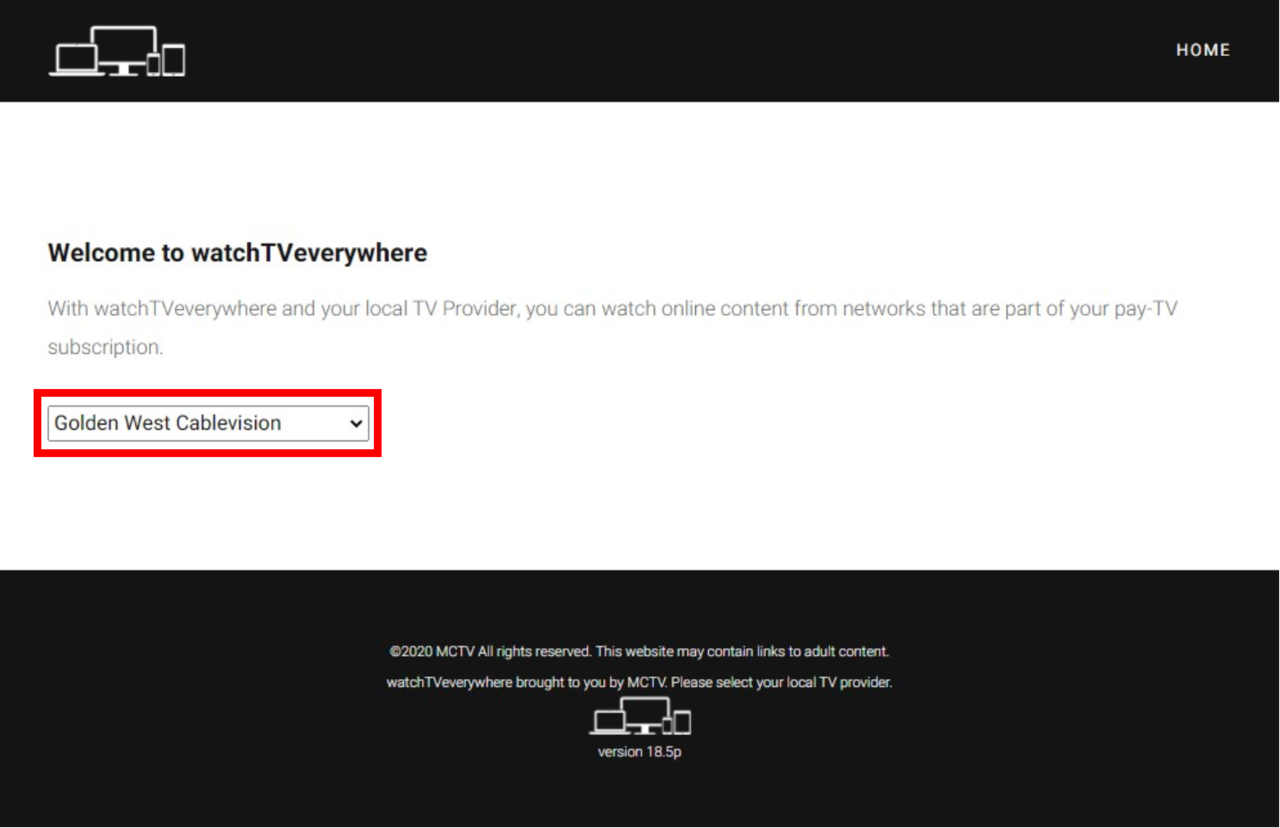
3. Click on Log In.
4. Enter your email and password.
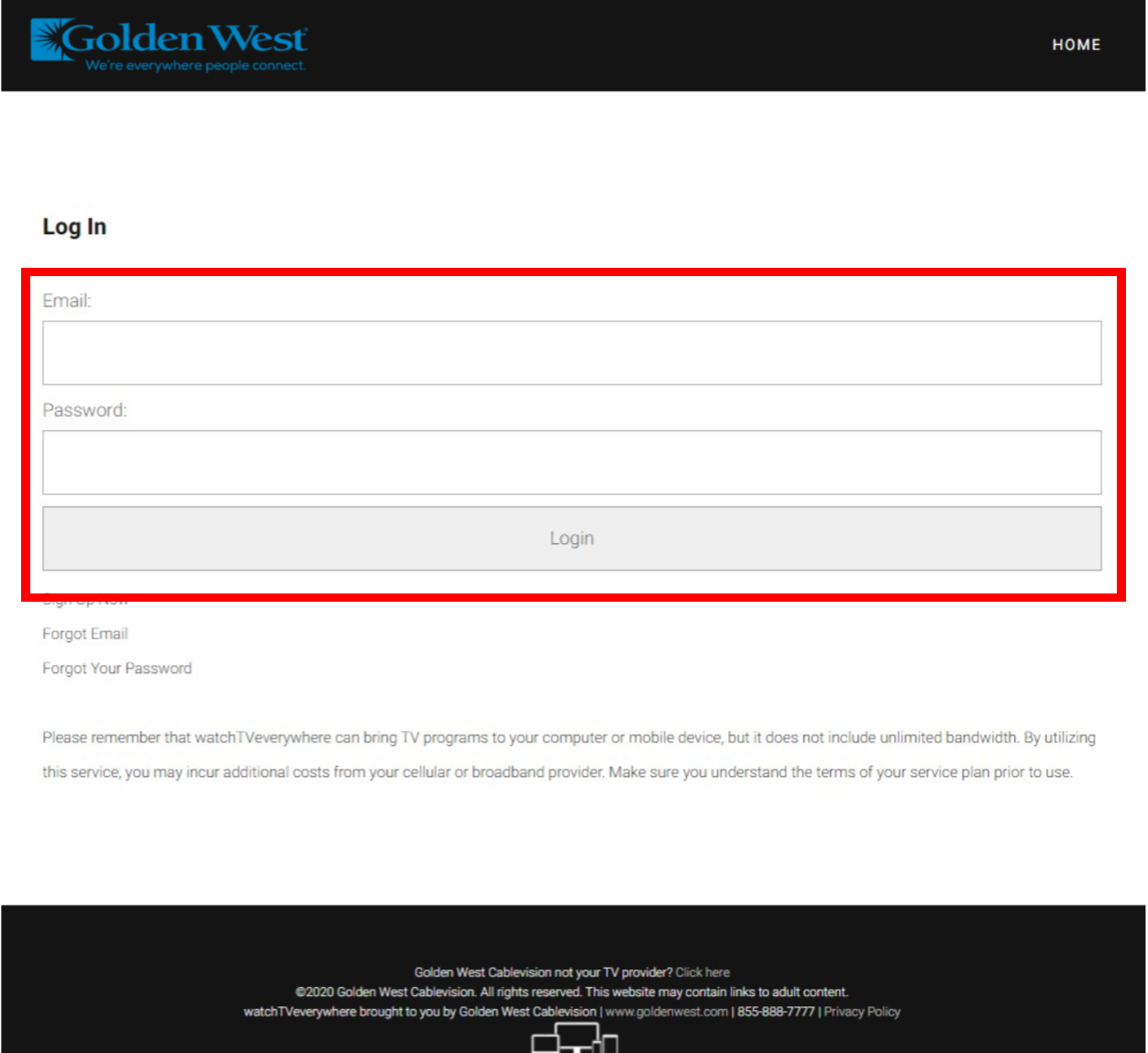
5. You will see the logos of all the networks available in your TV plan. Click on the TV network you want to watch, and you will see a list of the available programs.

*These networks and channels are available for Golden West Cable TV customers who subscribe to the Ultra package. Those who subscribe to the Limited or Select packages will only see the networks and channels offered under those packages.
6. Or download an app and enter your email and password when prompted to authenticate.
Enjoy! For more information, visit goldenwest.com/wtve. Golden West customer service is available from 8 a.m. to 5 p.m. Monday through Friday by calling 1-855-888-7777.