Strengthen Your Online Security with Passphrases
As we spend more time online for entertainment, social media, banking, email and more, we create more and more accounts, each requiring a username and password.
Most sites offer guidelines for creating a strong password – use numbers and symbols, include capital letters, meet the minimum character length, etc. What they don’t mention is that the maximum character limit allows for the use of an even more secure option – a passphrase.
What is a passphrase?
A passphrase is an alternative to an online password. It’s often a sentence or sentence-like string of words used to authenticate an account.
“Passphrases are a great way to create a secure password, as they are normally longer and easier to remember,” says Golden West IT Manager Paul Geldert. “Using a simple sentence like ‘Let’s have 2 tacos for lunch!’ includes 28 characters, a capital letter, a number and a special character, making the passphrase complex yet easy to remember.”
Golden West Email Supports Passphrases
Golden West updated its email Username & Password Policy last year to optimize security and protect members. The policy requires the following for passwords/passphrases:
- Password must be at least eight characters long and no longer than 128 characters.
- Password must not contain the username (forward or backward).
- Password must not contain the word “password”.
- Password must contain letters and numbers (at least one of each).
- All letters, numbers and symbols are allowed, as well as spaces.
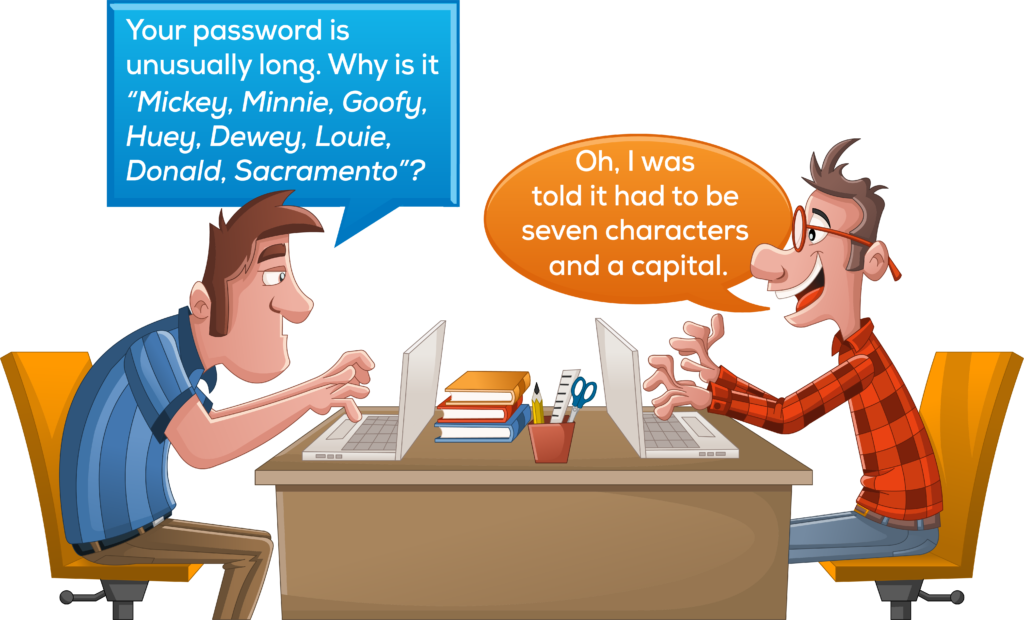
While here it’s the punchline of a joke, this would actually constitute a passphrase.
Why is a passphrase better than a password?
Most experts suggest eight to 10 characters for optimum password safety. However, the more characters you use, the harder a password is to crack. A downside to long passwords is the difficulty remembering them. That’s where it helps to use a random sentence or phrase or a favorite quote or music lyric. Just be sure whatever passphrase you use cannot be guessed easily by someone who knows you.
Tips for Creating a Passphrase
- Use a minimum of 16 characters.
- Try to use more than four words.
- Make it unique to your thinking, not just a popular phrase.
- Avoid starting your passphrase with “I love…,” or “I hate…”
- Randomize your sentence or phrase.
Staying Safe Online
Using a passphrase is only one part of staying secure online and keeping your information safe. Experts also recommend updating your passwords each year and having a unique password or passphrase for each account you manage online. Always use multi-factor authentication when it’s available. This involves the site emailing or texting you a code to enter each time you log in. While this involves an extra step, it is the best way to ensure your login remains uncompromised. Sites like Facebook, Google and LinkedIn commonly offer multi-factor authentication.
Sources: Some information for this article was gleaned from online articles featured on Password Dragon.